Run avrdude on Ubuntu without root

A quick tip for Ubuntu users:

As installed by the avrdude package on Ubuntu, avrdude needs root priveledges to work properly with the Adafruit USBTinyISP AVR programmer.  This gets annoying pretty fast because to program an AVR you need to run avrdude (or make) with sudo every time or log in as root (not recommended).  Without sudo, avrdude will return an error:

avrdude: error: usbtiny_transmit: error sending control message: Operation not permitted
avrdude: initialization failed, rc=-1
 Double check connections and try again, or use -F to override
 this check.
avrdude: error: usbtiny_transmit: error sending control message: Operation not permitted
avrdude done.  Thank you.

LadyAda points out in her avrdude tutorial that there is a way around this behavior by setting up some udev rules for the USBTinyISP.  However, I found that the rules given in her tutorial did not work with my stock Ubuntu 9.10 installation.  The problem arises because the user Ubuntu creates on install is not part of the “users” group.

The fix:

Create a file called 10-usbtinyisp.rules in directory /etc/udev/rules.d

 SUBSYSTEM=="usb", SYSFS{idVendor}=="1781", SYSFS{idProduct}=="0c9f", GROUP="adm", MODE="0666"

Then execute:

 sudo restart udev

That’s it.  Unplug and replug in the USB cable to your USBTinyISP programmer.  Now avrdude should be able to access the USBTinyISP without root privileges.

If your account is part of another group, just change the GROUP= flag to that group instead.  New users in Ubuntu are assigned to a group named after their username by default, so that is another option (ie. GROUP=”yourusername”).  Interestingly, new users are not assigned to the “users” group, for reasons that escape me (and no doubt some of our more Linux-savvy readers can enlighten us about).
A visit to the Very Large Array

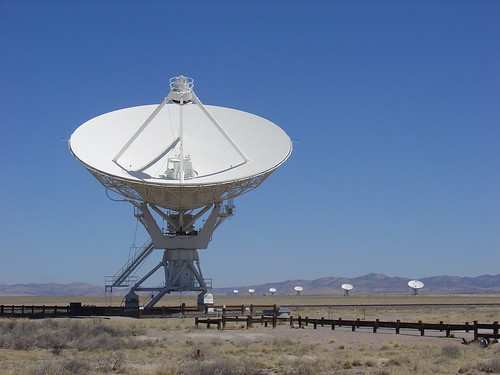
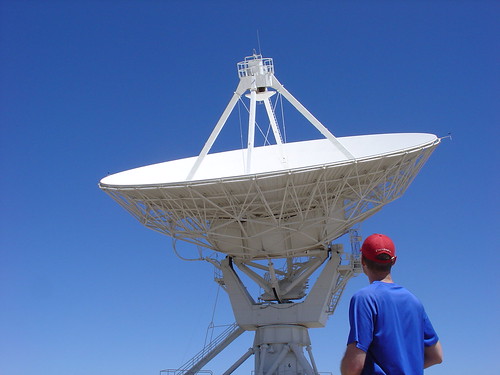
VLA Dish

The Very Large Array (VLA) is an NRAO-operated radio telescope facility located approximately 50 miles west of Socorro, New Mexico.  The array operates on the principle that data collected from each of the 27 independent dish antennas can be combined in such a way that the array acts like a single, much larger radio telescope.

I had a chance to see the VLA for the first time last year while traveling through New Mexico.

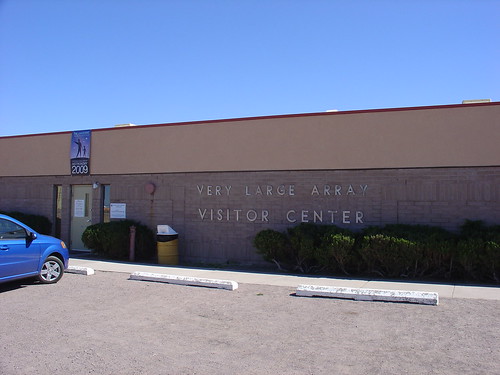
Upon arriving at the VLA, a visitor center welcomed us with some exhibits about research being done at the facility a short video, a self-guided tour, and a gift shop where you can buy space-themed souvenirs and Astronaut Ice Cream.

Very Large Array Visitor Center

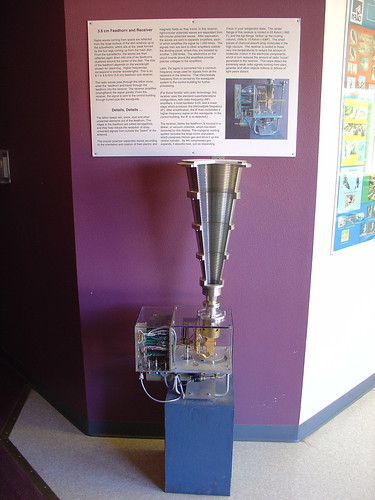
A few of the exhibits were particularly interesting to me given my previous experience with microwave RF circuits.  One was a cross-section of a 3.6cm feedhorn and receiver setup as found on the dishes (view the full size poster more details).

3.6cm Feedhorn and Receiver

The highlight of the tour, of course, is the opportunity to get up close to an operating dish.  After a short hike from the visitors center, I found myself in the shadow of one of the VLA’s massive white dish antennas.  Every minute or two, the dish moved slightly to stay pointed at the same point in the sky despite Earth’s rotation.   Standing under the dish, listening to the roar of the refrigeration units that keep the receivers cool, I couldn’t help but wonder if I should have pursued a career in radio astronomy!

VLA Dish

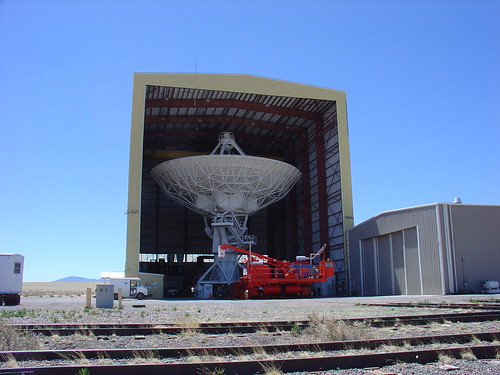
Our last stop on the tour was the  service yard.  Each dish is rotated out of service for maintenance on a regular basis.   This is where the dishes are maintained in the safety of a huge repair hangar.

Dish being serviced in hangar

Was my visit to the VLA worth a 100 mile detour across the New Mexico desert?  Absolutely!

Want to see more?  There are lots more pictures of the VLA in my Flickr photostream.

Austin Hackerspace Pics

Austin Hackerspace
A couple weeks ago, I had the chance to witness the birth of a brand new hackerspace while visiting Austin for a few days.

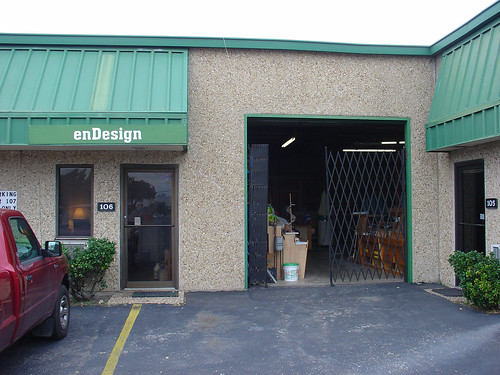
The aptly named Austin Hackerspace is located a few minutes south of downtown (on Ben White Blvd.) in an unassuming shop building (very easy to miss, look for the enDesign sign).

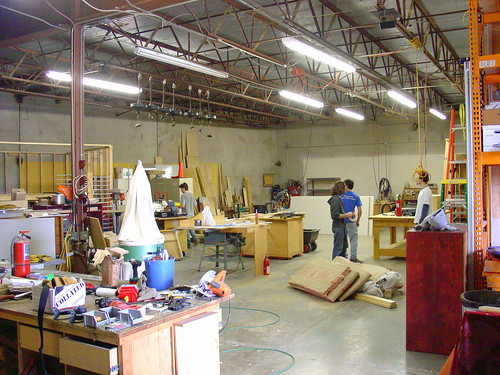
By California standards, the space is pretty big (insert joke about Texas here):

Austin Hackerspace

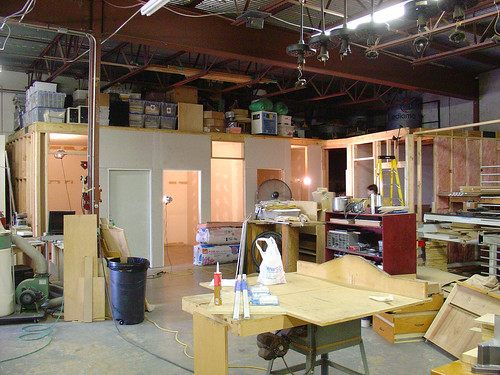
The founders are taking an interesting approach to building the hackerspace.  Studios are being constructed around the outside of the space.  They are renting 1/4 studio slots to interested hackers that need a place to store their stuff or work on projects in a quiet, air conditioned environment.

Austin Hackerspace

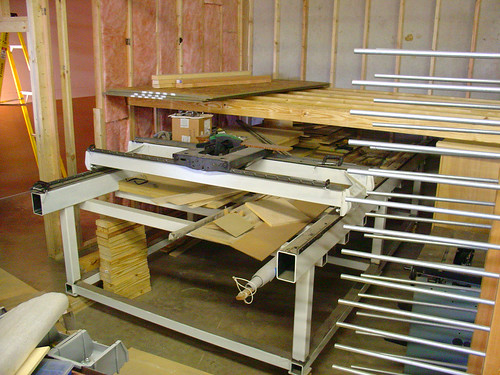
Access to the common areas is free (as long as a key-carrying member is present).  There are already some tools available for shared-use, such as the large CNC X-Y stage (a work in progress) shown here:

Austin Hackerspace

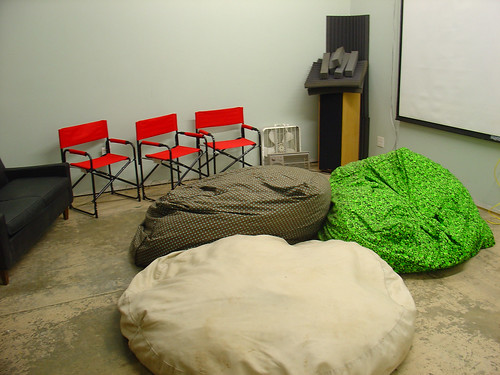
There is also lounge with a video projector for meetings (dorkbot!) and some comfy chairs.

Austin Hackerspace

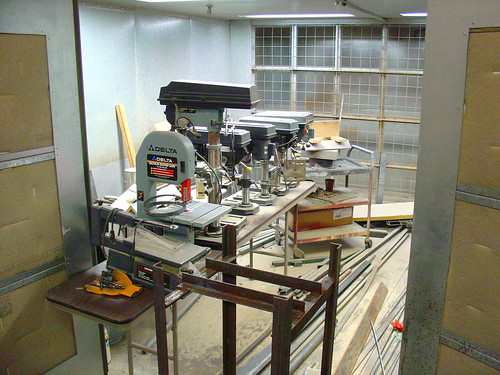
Drill presses and other tools (which I assume will be available for use in the space) are being temporarily stored inside a large paint booth, which will also be available to members.

Austin Hackerspace

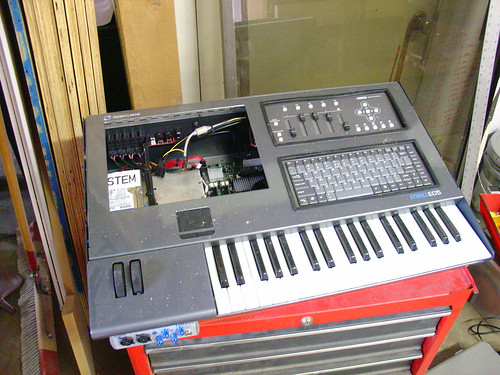
On my way out, I spotted some evidence that there will be some interesting hacking happening here in the near future…

Austin Hackerspace

Interested in helping out?   They are looking for volunteers.  More photos are here, and more info  about the space is available at austinhackerspace.org.

Rigol DS1052E 50MHz to 100MHz scope hack

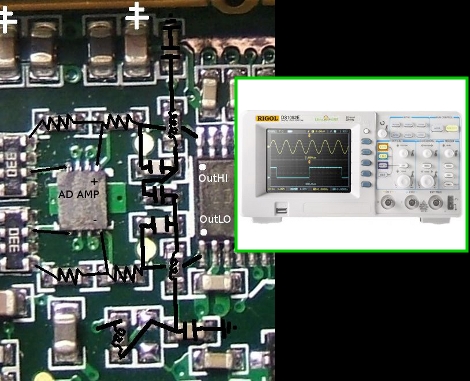
Hack a Day posted yesterday that a guy named Ross turned his 50MHz Rigol DS1052E into a 100MHz capable instrument by removing part of a lowpass filter on the analog inputs.

I think it remains to be seen whether there are any other mods required to make this work like a real DS1102E (ie. does the 1052E firmware limit the minimum horizontal timescale?) but this is hardware hacking at its finest!

Read more about it on the EEVblog forums.

Tim Williams: The Circuit Designer’s Companion

The Circuit Designer's Companion

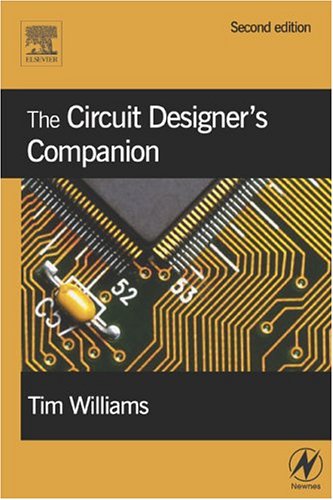
I recently picked up a copy of Tim Williams’ Circuit Designer’s Companion after I noticed it on my Amazon recommendations list (which seems to know my tastes a little too well these days.)

This is a fun and useful book.  The emphasis is on practical information that is useful to working engineers, not PhD students.   This means that there are a lot fewer equations in this book than The Art of Electronics and it’s a lot less intimidating for someone without a degree in Electrical Engineering.  The book’s roughly 400 pages include topics such grounding and shielding sensitive circuits, some basic tips for routing PCBs, why it’s usually better to buy a switching power supply than build your own, some comparisons of batteries, and how to pick a fuse.  (Sadly, the latest microcontrollers and Lithium battery technologies are missing – not surprising, since the 2nd edition was released in 2005.  Time for an update?)

I like Williams’ writing style, and usually pick this book up first to see if he has a quick solution to the problem at hand before diving into one of my more dense engineering texts.  While this book isn’t a replacement for my other (heavier) reference books, it’s a welcome addition to my desk.  I keep it within easy reach.