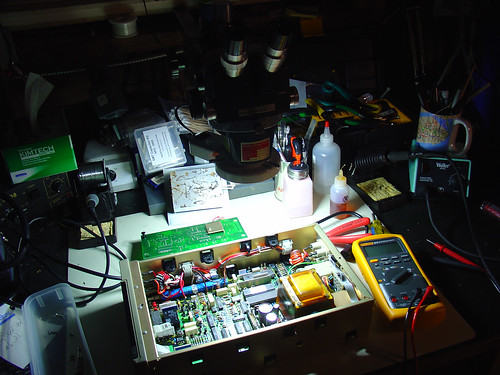
HV Rescue Shield Update #3

A quick update on the HV Rescue Shield:

About a week ago, I completed testing on a new switching circuit that allows me to leave the DC-DC converter on full-time and switch the RESET signal very quickly (risetimes in the microseconds).   Now there shouldn’t be any more  issues getting parts with zero SUT to enter HVSP/HVPP mode.

It’s taken a lot longer than I expected to get to this point, but the results look very good. I have had 100% success reading/writing all parts I have tested.

PCBs are on order and due to ship by the end of the week.  Assuming the layout is good and I didn’t just order a large batch of stylish (but small) coasters, I should have kits in stock again by the end of next week.

Watch here for updates, and my apologies to everyone who has been waiting on a kit – new and improved kits should be available soon.

Update 2/1: PCBs came in while I was away last week, and are currently being held at my local Fedex office, which is closed due to the power outages that are affecting Austin today.  Apparently Austin does not handle prolonged sub-freezing temperatures very well.   As soon as I can get my hands on the boards, it should only be a day or two before kits are available again.

Wifi Radio / Dorkbot 27

KVRX

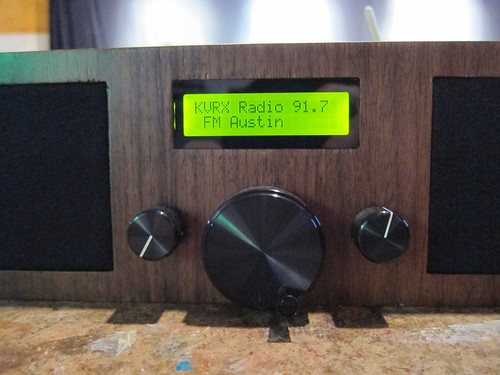
Last night, I dusted off my Wifi Radio project and gave a 15 minute presentation about it at Austin Dorkbot 27: Electric Boogaloo.

Dorks who want to download the slides can do so here: Jeff_Keyzer-Wifi Radio Project

I had a particularly challenging evening because the hastily assembled wireless network in the ACTlab refused to hand out an IP address to the radio.  After wrongly suspecting that the 802.11n network was causing problems (my home network is b/g), I discovered that if I set a static IP and default gateway, I could get a stable connection to the router.   That process of discovery took something like an hour of tweaking settings, trying to remember iwlist arguments, how to set up routes, etc.

In the end I got it all working and gave a very successful demo of the radio.   Whew!

Tips for finding test equipment service manuals

2009:10:01 02:23:53

When I buy a piece of electronic test equipment, the first thing I do is turn it on and see if it works.  This is the moment of truth: was that awesome eBay find the killer deal I thought it was?  (Hint: If it’s missing case screws and came with no packing material, probably not.)

Sometimes, everything works out and I have a shiny new piece of test gear for bottom dollar.  Often, things don’t work out quite as expected.  Luckily, test equipment is often made to be fixed.

To fix it, I need a service manual.

This means that with my luck, more often than not, the second thing I do is try to track down the service manual for my new semi-functional piece of test equipment.  Even if the it’s not broken, I’ll usually try to get a service manual anyway; often the service manual doubles as a user manual and I need to figure out how to use special features, find specs, etc.

If you find yourself in a similar situation, here are some tips for finding test equipment manuals:

  1. If it’s a fairly new piece of test equipment, chances are the manufacturer will have a manual on their website, usually in pdf format.  For example, Agilent has lots of manuals online, but unfortunately, anything over 20 years old is probably not listed.  Other vendors are better about archiving old manuals.  I have had very good luck getting old Fluke manuals on their website.
  2. Google is your friend.  Are you feeling lucky?  Some manuals are easy to find, like this one for the HP 3312A Function Generator.    The first link that isn’t an ad goes right to it.  Easy!
  3. There are several free service manual repositories on the web.  These can be very hard to find when you need them (spammy links from manual vendors sometimes derail your search).   I have started keeping track of free sources for test equipment manuals on the wiki.  If you are looking for the manual for a fairly common piece of HP/Agilent or Tektronix gear, there’s a pretty good chance you’ll find it for free on one of the sites listed.
  4. As a last resort, consider paying for an electronic copy of the manual.  Beware of vendors who are simply downloading readily available manuals for free and selling them to you.  Use eBay with caution.   The wiki now includes a list of reputable service manual vendors.  The only vendor I have used is Artek Media.  They have very reasonable prices and great support.  At $5-$10 a pop, sometimes it’s easier to just buy the manual than scour the web for hours, so it’s nice to be able to trade laziness for dollars.

Usually by step 3 I have the manual I need, so I rarely have to pay for a copy, but it’s nice to know that most obscure manuals can be had for a few dollars.

I hope these tips keep more old test equipment running – remember they don’t make ’em like they used to!

If any readers have more sources for manuals to add, please leave a comment or add them to the wiki.

CD101 PID Controller stop mode issue

The CD101 is an inexpensive (under $40) PID controller sold by Sure Electronics. Aside from the incomplete documentation that is shipped with the unit, I’m pretty happy with this controller. I’m planning to use it to replace the failed PID controller that controls my soldering hotplate.

I am having one small issue with the CD101 – stop mode doesn’t seem to do anything. By that I mean it doesn’t disable the outputs or seem to affect the controller in any way. Based on my interpretation of the user manual, the outputs and alarms should be disabled in stop mode. This is mostly an annoyance in my application – if I want to disable the hotplate I’ll just turn it off. However, I can imagine that the lack of a standby mode might cause problems in some applications.

I contacted Sure Electronics about the problem, and they requested a video. I figured I might as well post it here, since I went through the trouble of making it and everything. 🙂

By the way, since it can be hard to find information on this controller (eg. how to change from Fahrenheit to Celsius display), I have been slowly putting together a wiki page for the CD101.

PS: The video was shot with my new Canon PowerShot S95, which seems to take great footage, except that there is no autofocus or zoom control while shooting. (?!)

Donate your spare CPU cycles to World Community Grid

Here’s an interesting way to donate your spare CPU cycles to a good cause. This project has been around for a few years now, but I just started participating.

Running the software reminds me of my college days. There was a time when everyone I knew was running the SETI@Home screensaver (most likely on an AMD K6 or Celeron 300A!)

Clients are available for all major operating systems.