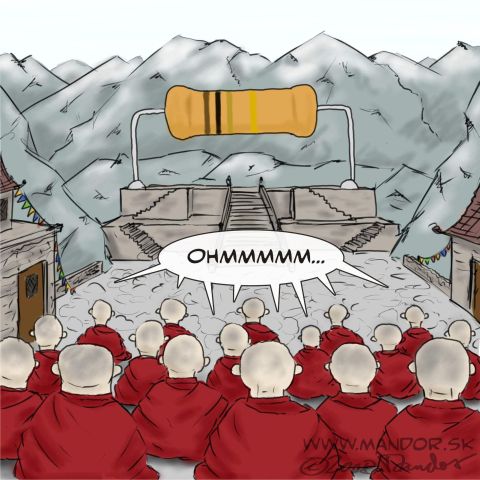
Comic by Mandor. Thanks to Bryan Currey for bringing this one to my attention.

Comic by Mandor. Thanks to Bryan Currey for bringing this one to my attention.
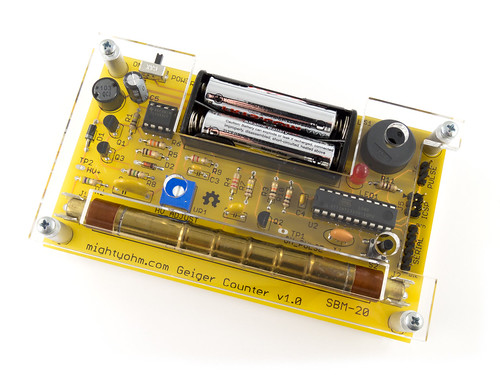
Geiger Counter kits are back in stock and shipping again.
My apologies to everyone who has been waiting to place an order, it took a little bit longer than I expected to get all of the parts for this batch. I’m not sure if I’ll be able to keep up with the demand around the holidays, so if you’re thinking about giving a kit to someone (or yourself) as gift, it might be a good idea to order now.
To learn more about the kit or to place an order, head on over to the Geiger Counter kit page.
Shortly after my Geiger counter workshop at the Chaos Communications Camp in Germany, @tatzelbrumm sent me this video of his kit chirping madly on his flight home to the United States.
If you squint at the laptop in the video, you can see that his geiger counter is reading over 400 CPM!
Exposure to cosmic radiation is a well-known side effect of commercial airline flights, and is even documented in the xkcd radiation dose chart (click for a large version):

Christoph sent me his data logs, which clearly show the effect of altitude on radiation exposure:
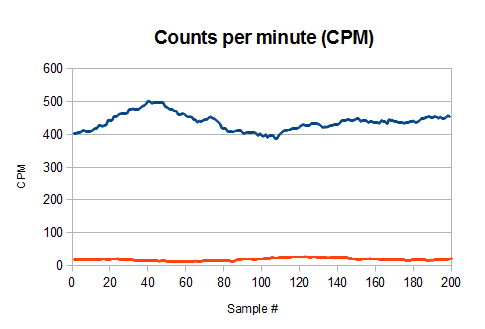
The red trace is the background level on the ground in SFO and hovers around 20 CPM. The blue trace is the measured radiation over Greenland on his transatlantic flight. The peak readings are 25 times the background radiation at sea-level!
Caution: Unless you like being hassled by the TSA, I don’t recommend flying with the Geiger kit in your carry-on luggage, much less actually using it on the plane! On his DIY Geiger Counter site, Brohogan posted some good advice about traveling with a Geiger counter.
Look! Geiger Counter Kits! And shiny new cases!
Have you done something cool with your Geiger Counter kit? If so, post about it in the forums!
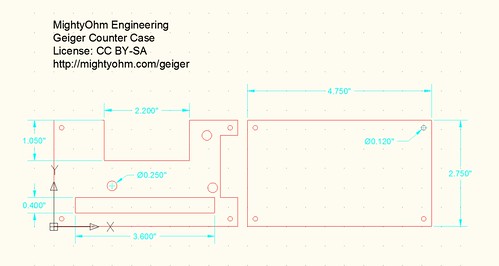
The new case for my Geiger Counter kit started with a CAD drawing of the top and bottom case panels, as shown above.
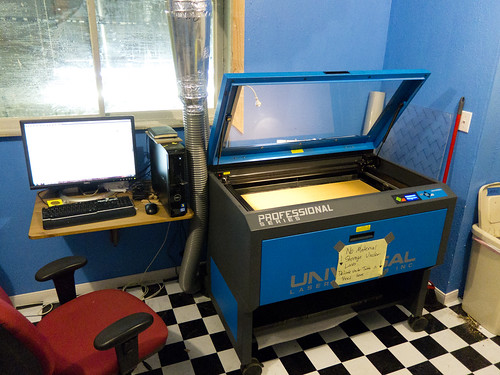
I am very fortunate to have access to a ULS laser cutter at ATX Hackerspace, which is perfect for cutting 1/8″ acrylic and has a 32×18″ bed.
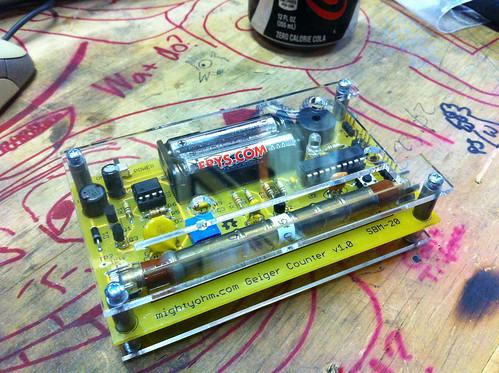
I made a few quick prototypes with some scrap acrylic and hardware I had in the lab. The version shown here is the first iteration, which had taller standoffs and no battery cutout.
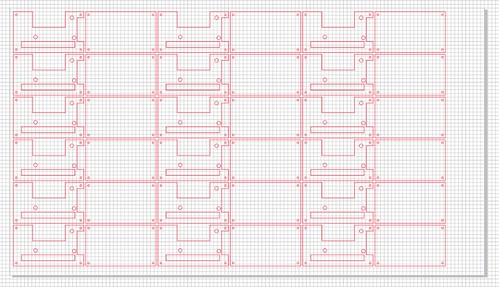
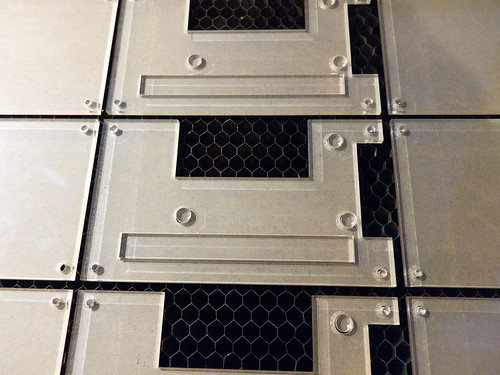
Once I was satisfied with the design, I created an array of panels. 18 cases (36 individual panels) fit on a 32×18″ sheet of acrylic, which just fits in the bed of the laser cutter.
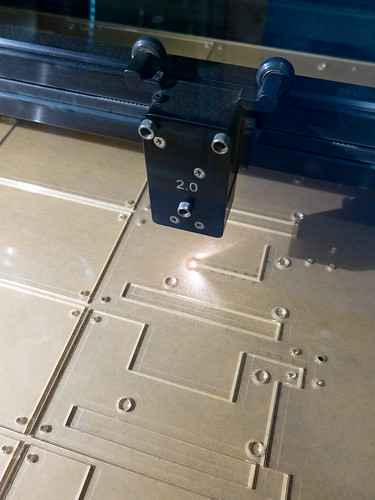
The laser cuts out each panel in the array.
This is what the sheet looks like when the laser is done.
Mmm, freshly cut cases!
Add a few screws and standoffs and this is the result:
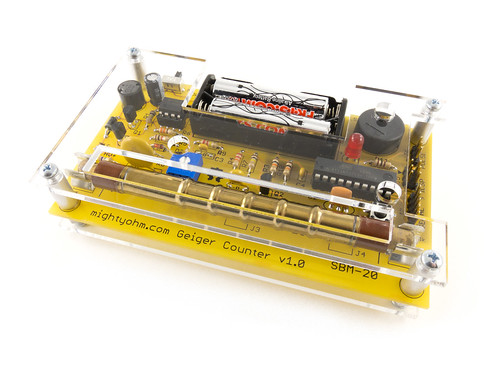
A beautiful clear acrylic case for my Geiger Counter kit!
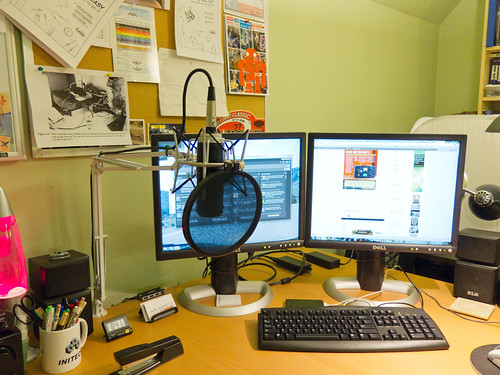
After being hassled by Chris about my audio quality on The Amp Hour for the past year, I finally broke down and upgraded my podcasting microphone setup. Here are some photos of the new setup and some notes about my approach.
Here are most of the big (expensive) parts. Clockwise from the upper left:
 ($60 on eBay, I got the XLR version, not the USB version that Chris uses)
 ($55 on eBay)
 ($24 on Amazon)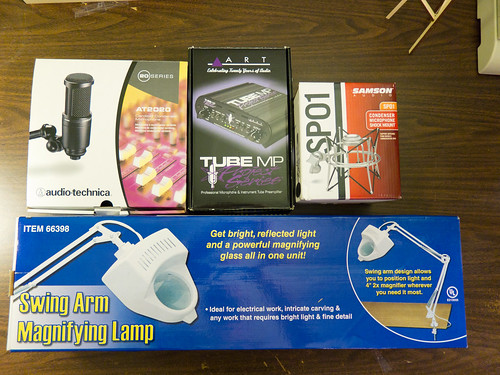
A few more miscellaneous bits:
 ($15 on Amazon)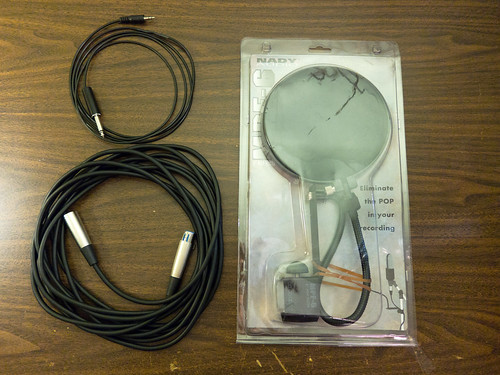
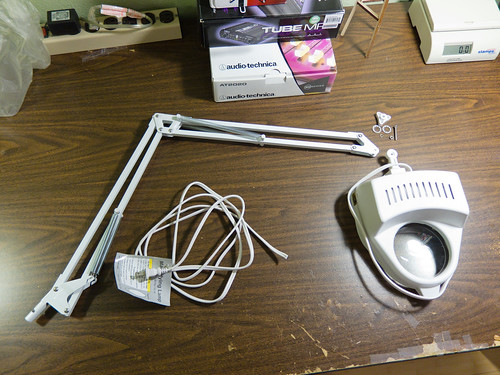
I got the idea to convert a swing-arm desk lamp (often called an Architect’s Lamp
The closest IKEA is 40 minutes away, so instead I went to Harbor Freight Tools and bought the cheapest swing arm lamp I could find. I removed the lamp portion (after you remove the adjusting knob, the shoulder-bolt can be removed and the lamp pulls out). Then I cut the power cord and unthreaded it from the lamp.
The swivel mount on the Samson SP01 comes apart easily, exposing a handy flat mounting tab that could be used to bolt the spider mount to all sorts of things…

…including the desk lamp. I used a 1/4″ nylon spacer to fill the gap left by the narrow tab on the shock mount and some lock-washers to keep the mount from rotating when the adjustment is tightened. The original shoulder-bolt stripped (oops) so I replaced it with a beefier 10-32 bolt and corresponding nut.
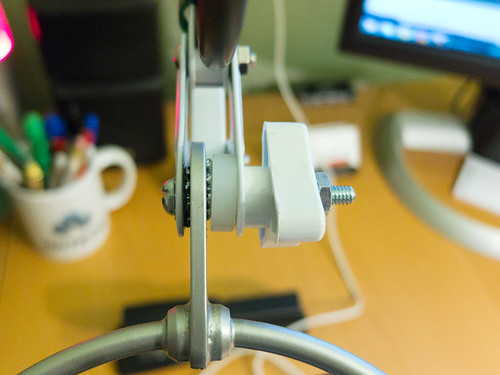
While my initial tests with just the AT2020 mic were promising, I found that the swing-arm sagged under the extra weight of the shock mount. To solve this problem, I drilled two extra holes at 1″ intervals from the original spring perch on the swing-arm. This allows me to adjust the spring tension to balance the arm. Now the mic stays where I put it.

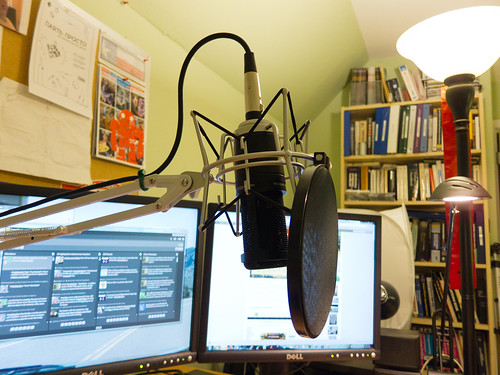
Here is the finished setup. I removed the heavy bracket and gooseneck from the pop filter and zip tied it to the front of the shock mount. The spacing between the pop filter and the mic comes out just about right.
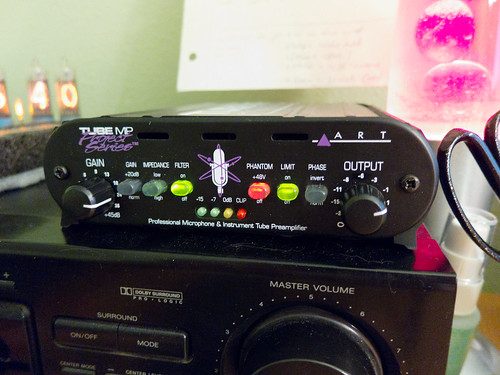
Here’s the mic preamp. It’s got tubes! The microphone connects to the preamp through the XLR cable. The output of the preamp is connected to my PC’s line input through the junkbox 1/4″ to 1/8″ cable.
The best part about the swing arm setup is that when I’m not using the microphone, I can just swing it out of the way:
I’m really happy with the new setup, but you can judge it for yourself on this week’s episode of The Amp Hour (Xenomorphic Xerox Xebec).