Category Archives: Electronics

The Amp Hour Episode 29

I’m happy to announce that I have again been given the privilege of co-hosting The Amp Hour, this time with Dave Jones of the EEVblog!   Chris Gammell is away this week recruiting bright young engineers into slavery to join his company, so I was given the guest spot.  This is my third time on the show.

If you haven’t heard of it before, The Amp Hour is “an off-the-cuff radio show and podcast for electronics enthusiasts and professionals.”  I listen most every week and would recommend it to anyone who wants to hear a humorous and off-beat take on electronics engineering.

Check out Episode 29 – DJ and Jazzy Jeff and all the rest of the episodes at The Amp Hour.

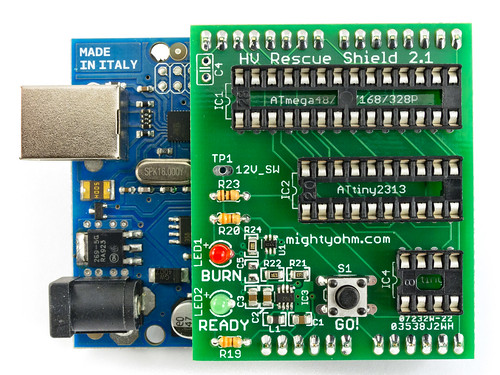
HV Rescue Shield 2.1 Now Shipping

HV Rescue Shield 2.1

I have good news.  The latest and greatest version of the HV Rescue Shield is now available!

Version 2.1 contains a new and improved 12V switching circuit that resolves an issue reading/writing to parts with certain startup timer settings.  This issue affects all previous versions of the Rescue Shield kit.

I have kits in stock and ready to ship this week.  If you have been waiting for the new release, you can place an order now.

Note to HV Rescue Shield 2.0 customers: Because the startup timer issue was identified so quickly after version 2.0 was released, I am offering a free upgrade for all customers who purchased a version 2.0 kit.  Please contact me to arrange for a replacement.  This offer only applies to HV Rescue Shield 2.0 customers.

Tips for finding test equipment service manuals

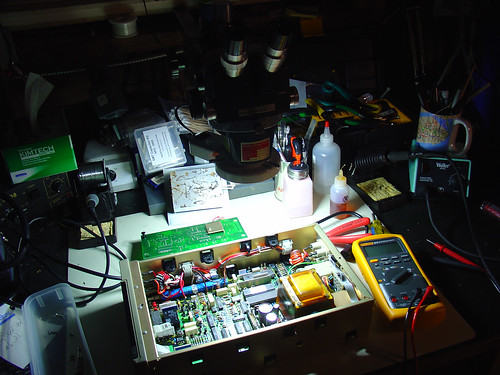
2009:10:01 02:23:53

When I buy a piece of electronic test equipment, the first thing I do is turn it on and see if it works.  This is the moment of truth: was that awesome eBay find the killer deal I thought it was?  (Hint: If it’s missing case screws and came with no packing material, probably not.)

Sometimes, everything works out and I have a shiny new piece of test gear for bottom dollar.  Often, things don’t work out quite as expected.  Luckily, test equipment is often made to be fixed.

To fix it, I need a service manual.

This means that with my luck, more often than not, the second thing I do is try to track down the service manual for my new semi-functional piece of test equipment.  Even if the it’s not broken, I’ll usually try to get a service manual anyway; often the service manual doubles as a user manual and I need to figure out how to use special features, find specs, etc.

If you find yourself in a similar situation, here are some tips for finding test equipment manuals:

  1. If it’s a fairly new piece of test equipment, chances are the manufacturer will have a manual on their website, usually in pdf format.  For example, Agilent has lots of manuals online, but unfortunately, anything over 20 years old is probably not listed.  Other vendors are better about archiving old manuals.  I have had very good luck getting old Fluke manuals on their website.
  2. Google is your friend.  Are you feeling lucky?  Some manuals are easy to find, like this one for the HP 3312A Function Generator.    The first link that isn’t an ad goes right to it.  Easy!
  3. There are several free service manual repositories on the web.  These can be very hard to find when you need them (spammy links from manual vendors sometimes derail your search).   I have started keeping track of free sources for test equipment manuals on the wiki.  If you are looking for the manual for a fairly common piece of HP/Agilent or Tektronix gear, there’s a pretty good chance you’ll find it for free on one of the sites listed.
  4. As a last resort, consider paying for an electronic copy of the manual.  Beware of vendors who are simply downloading readily available manuals for free and selling them to you.  Use eBay with caution.   The wiki now includes a list of reputable service manual vendors.  The only vendor I have used is Artek Media.  They have very reasonable prices and great support.  At $5-$10 a pop, sometimes it’s easier to just buy the manual than scour the web for hours, so it’s nice to be able to trade laziness for dollars.

Usually by step 3 I have the manual I need, so I rarely have to pay for a copy, but it’s nice to know that most obscure manuals can be had for a few dollars.

I hope these tips keep more old test equipment running – remember they don’t make ’em like they used to!

If any readers have more sources for manuals to add, please leave a comment or add them to the wiki.

The Goodwill Computer Museum

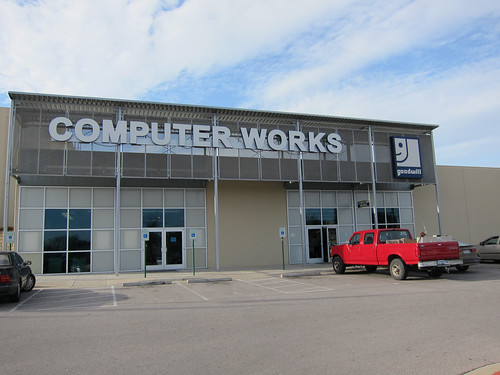
Goodwill Computer Museum

Last week I had a chance to visit the Goodwill Computer Museum, conveniently located (for me) here in Austin, Texas.

The museum is a small part of the Goodwill Computer Works, a computer and electronics recycling center operated by Goodwill.  The site accepts donations of both computer and non computer-related items, like clothes and household items.   To enter the museum, you first pass through the computer store.  Here you can buy used computers as well as cables, wall warts, keyboards, flat panel displays, wireless routers,  graphics cards, and even some software.  I’ve even seen some small pieces of surplus electronic equipment there, as well as some vintage computers, so I’ll be adding this store to the surplus wiki.

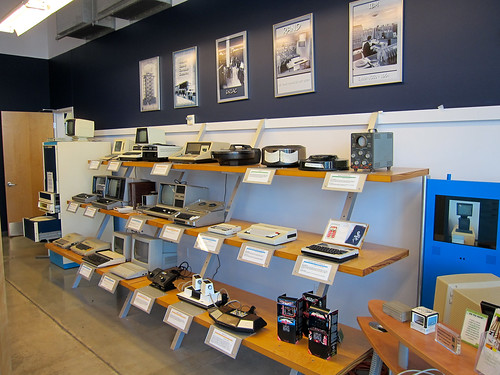
There is a lot of interesting stuff on display.  Along one wall, there is an assortment of TRS-80 machines, a Model 100, and some home video game consoles, including an Atari Super Pong and a Magnavox Odyssey.
Goodwill Computer Museum

The luggable TRS-80 PT-210 includes a built-in acoustic coupler!

Goodwill Computer Museum

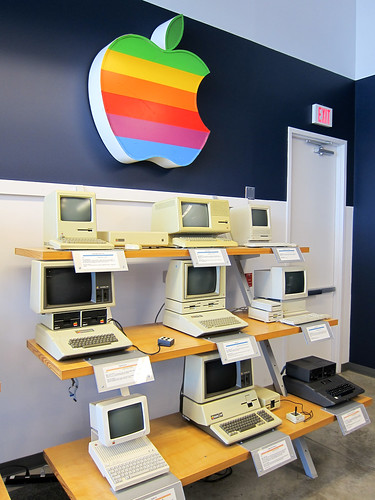
Apple is well-represented as well.  There’s an Apple Lisa 2 on display.  Retail price in 1984: $10,000!
Goodwill Computer Museum

Standing tall near the entrance is a Data General Nova system.  Flickr user P^2 Paul points out that “Tracy Kidder wrote a great book about DG, the Nova, and the development of the Eclipse.  The Soul of a New Machine.”

Goodwill Computer Museum

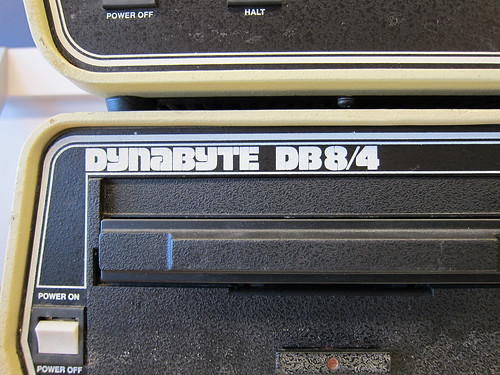
I love the crinkle finish on this Dynabyte DB8/4.  I can’t find much information about this machine online, except this post about a DB8/1 that has a Z-80 CPU and an S-100 bus.
Goodwill Computer Museum

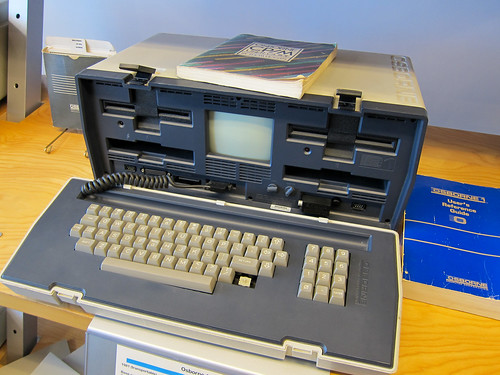
The Osborne 1, released in 1981, was designed by Lee Felsenstein.  I’ve had the pleasure of chatting with Lee on a couple occasions.  He has a lot of interesting stories and is still designing electronics.
Goodwill Computer Museum

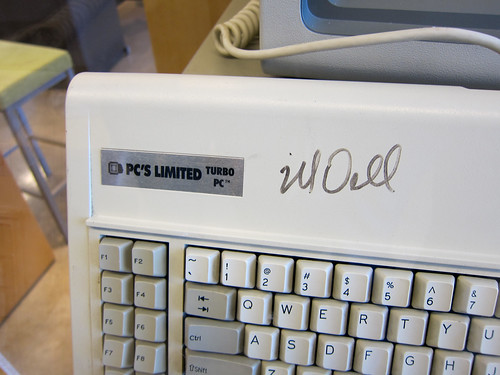
What would a computer museum in Austin be without a shrine to Michael Dell?  Here’s a PC’s Limited Turbo PC (there’s one of these at the Smithsonian!)  PC’s Limited eventually became… you guessed it, Dell.
Goodwill Computer Museum

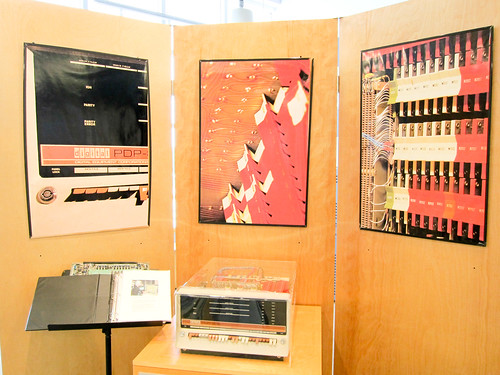
There’s a painstakingly-restored PDP 8/S (apparently ‘S’ unofficially stands for ‘Slow’) in one corner of the main exhibit area.
Goodwill Computer Museum

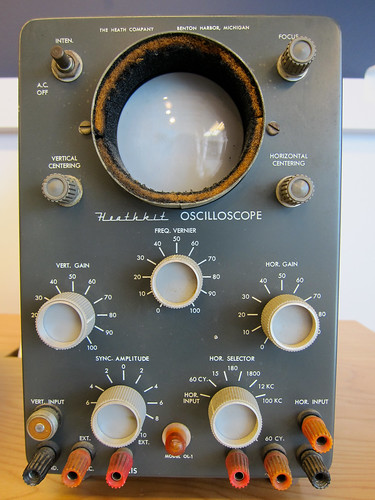
I was happy to see this Heathkit oscilloscope.  I had a far-uglier Heathkit ‘scope when I was in high school.  Mine had tubes inside.  I’m guessing this one does, too.
Goodwill Computer Museum

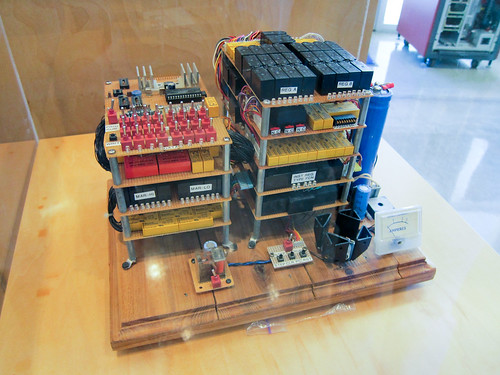
In 2007, Jon Stanley constructed a relay computer named RC-2.  It is on display here, and I got to see a preview of RC-3 in the back room!
Goodwill Computer Museum

Computer Terminal Corporation (later Datapoint) was based in San Antonio and made the Datapoint 2200 shown on the desk.  I’m pretty sure the rest of this equipment is CTC, but I’m not sure exactly what models are shown.

img class=”alignnone” src=”http://mightyohm.com/files/flickr/5333821885_e9e2bcf0a9.jpg” alt=”Goodwill Computer Museum” width=”500″ height=”375″ />

To see more of the museum, check out the photoset on flickr.