Improvements to the DIY PID-Controlled Soldering Hotplate

Improvements to PID Controlled Hotplate

Last week I posted about the DIY PID-Controlled Soldering Hotplate I designed and built to improve my surface mount soldering capabilities.

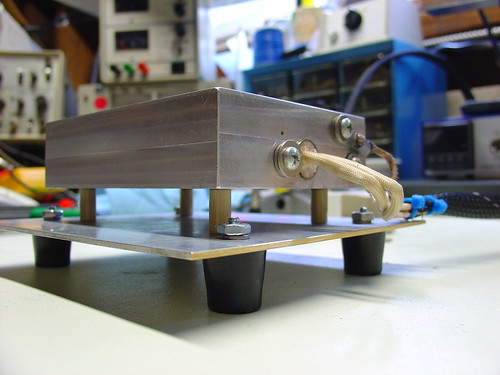
I mentioned one issue I was having with the hotplate on flickr.  Specifically, the aluminum baseplate was getting too hot for comfort (literally) when I set the hotplate to solder reflow temperatures (180-220C) for more than a few minutes.  At the time I thought it was due to radiant heat from the upper aluminum block transferring to the bottom plate.  I later discovered that the ceramic spacers I used to hold up the hotplate were much more thermally conductive than I thought and the screws I used to attach the baseplate to the spacers were burning hot before the rest of the baseplate.  It was conducted heat, not radiant, that was the primary cause of the problem!

McMaster-Carr to the rescue!

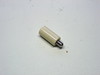
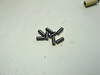
I was able to resolve the issue by reducing the diameter of the ceramic spacers from 1/2″ to 1/4″ and using all stainless hardware to attach the spacers.  Now the baseplate stays relatively cool even with the hotplate at high temperatures for long periods of time.

View the complete set on flickr.

Improvements to PID Controlled Hotplate

HSC Electronics Clearance Annex Open

Last week I stopped by HSC Electronics in Santa Clara to pick up a few parts for my PID Controlled Soldering Hotplate project.

Earlier this year, there was an announcement that HSC was moving because their landlord would not renew the lease on the building they have occupied for the past 15-20 years.  At the last minute they were able to negotiate a lease for half of their original space, forcing them to vacate what was previously the warehouse/mail order side of the building.

So far, the evidence of these changes to their customers has been very limited.  Maybe there were a few extra items at the annual sidewalk sale and some extra bins of parts on the showroom floor, but overall things looked pretty much the same – until my most recent visit.

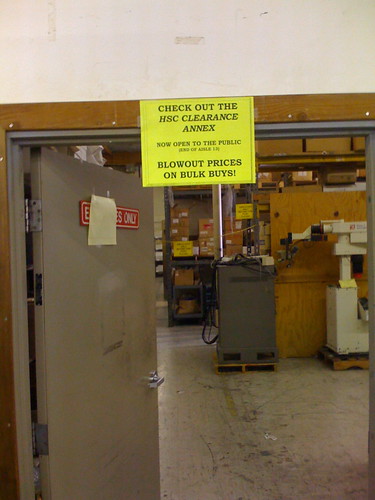
Now there is a new HSC Clearance Annex open to the public in what was formerly the employees-only warehouse space:

New HSC Clearance Area

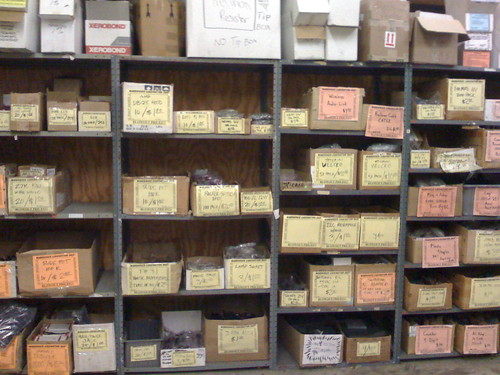
I found some neat things inside: IEC line filters, variable inductors, an assortment of crystal oscillators, bags of PCB mount right angle RCA jacks.  Most items are $1-2 and many come in bags of 10-100 for that price.

New HSC Clearance Area

They also had huge boxes of assorted hardware and electrolytic capacitors – you can create your own grab bag for $1.  Usually these are only available during the sidewalk sales and are a surprisingly popular attraction:

HSC Warehouse Clearance Sale

If you’re in the area, HSC might be worth a visit.  HSC is located at 3500 Ryder Street, Santa Clara, California 95051.

I also recommend a side trip to Weird Stuff and Fry’s Electronics, both are within a few miles of HSC.  Stop at all three and you are pretty much guaranteed to satisfy your appetite for electronics.

News: Now Blogging @ Make:SF

Last week I started blogging over at Make:SF, home of the unofficial San Francisco Make: fanclub.

Expect to see me posting over there occasionally about events, meeting recaps, and other goings-on.

As resident WordPress guru I’ve also been making some tweaks to the site to make it better serve club members.

Make:SF typically meets at TechShop in Menlo Park on the 1st Sunday of the month, and recently has also been meeting at Instructables HQ in San Francisco on the 2nd Tuesday.

Make:SF

New Stereo Zoom Microscope for my Electronics Lab!

Soldering surface mount (SMT) components is tricky, particularly if you can’t see what you are doing due to the small scale of most SMT parts.  Since I started working with SMTs at home I have suffered with a 10x magnifier ring-light.  It works, but it’s tricky to use, mainly because the working distance is so small that getting a soldering iron on a part and keeping that part in focus are almost mutually exclusive.

The right tool for this job is a stereo microscope.  Stereo microscopes use two separate optical paths to provide you with depth perception, very helpful for working with 3-dimensional objects like printed circuit boards.  Even better is a stereo zoom microscope, where the magnification factor can be changed by turning a knob instead of swapping out lenses.

Until now I assumed that a stereo zoom microscope would be way out of my price range, at least several hundred or a thousand dollars for a very basic setup.  However, some searching on eBay showed that good deals can be had, and a used microscope with a boom stand suitable for surface mount work can be found for as little as $200-$300.  New microscopes are available for $400-$500, although there is some debate regarding the quality of low-cost imported microscopes.  Caveat emptor.

For surface mount soldering, 7-30x magnification is reasonable (that’s 10x eyepieces * a 0.7-3x objective), and a 4″ or greater working distance makes using tools under the microscope a lot easier.

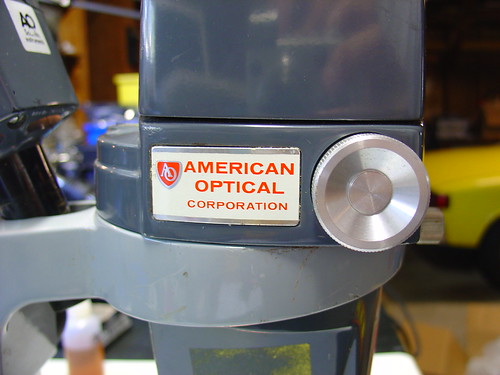
I ended up buying an American Optical (AO) model 569 with an illuminator and boom stand, shown below.  Total cost was just over $200 with shipping.
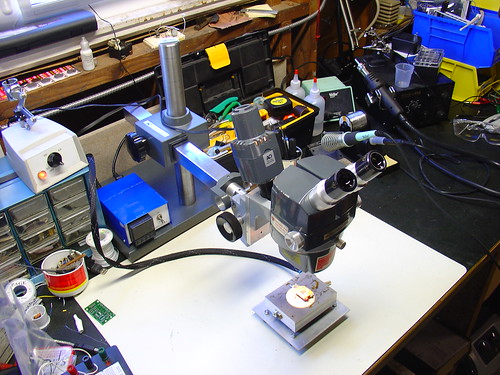
Stereo Zoom Microscope

Combined with the PID controlled hotplate I just put together this is a very powerful setup for doing rework of very tiny components – I could probably work with 0402’s, maybe even 0201’s if I was careful.  Using this setup, 0805’s are easy. (and they look huge!)

The scope is very old, it was made in the late 1970s, but it has survived in extremely good condition.  Upon receiving it, I tightened some setscrews and regreased the slides and it’s as good as new, despite being over 30 years old!
American Optical Corporation

There are a few more photos of the microscope setup on flickr.

The image quality is excellent.  Here are a couple pictures of my SYBA USB-Audio Adapter taken with the microscope and my Sony DSC-V1 digital camera.  I held the camera up to one eyepiece, set it into macro mode, and snapped the shutter – these images are straight off the camera with no retouching.
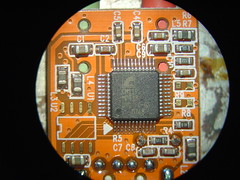
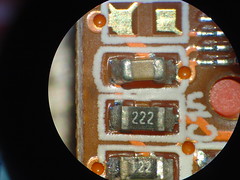
Microscope images of the SYBA USB-Audio Adapter Microscope images of the SYBA USB-Audio Adapter