Why do I need a microscope for SMT?
The single biggest challenge to doing “real” SMT work (0805 or smaller components and fine lead pitch ICs) at home is being able to actually see what you are doing. I know that there are many hobbyists (and maybe even some budget-conscious professionals) who will disagree with me, but I wouldn’t dream of working with surface mount components without using a microscope. I’ve tried many alternatives, including a 10X handheld triplet loupe, a magnifier ring light, even a nausea-inducing magnifying visor, and none of these even come close.
In case I haven’t made myself clear: I would rather solder SMT’s with a 150W soldering gun than with anything other than a decent stereo microscope.
In January of this year, I scored a stereo zoom microscope on eBay. While my scope is far from state of the art (it’s a “vintage” American Optical model 569) the optics are fantastic and it quickly became the most prized piece of equipment in my shop. Here’s a photo of the scope shortly after I added it to my lab, for more photos and information about it, see my original post.
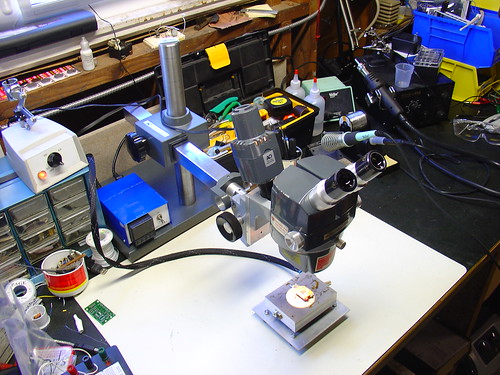
For the first few months, I used the scope pretty much as it arrived. One of the first major tasks I used it for was assembling the first batch of AVR HV Rescue Shields, and for this purpose it worked extremely well. However, as time went on, it became clear that I needed to improve my setup in a couple areas:
- The magnification range of 7-30X was great for working on a few tightly grouped 0805 or smaller components, but was too high for general PCB work. A typical BGA package was larger than the field of view.
- The included incandescent projector-style illuminator (shown piggybacked on the scope in the photo above) could only be placed in a limited set of positions and did not have adjustable focus – it made a nice, bright spot in the center of the image that didn’t fully illuminate the field at low zoom levels. While it is removable from the scope (this provides a workaround for these issues), the included stand took up too much bench space to be practical.
Upgrading the microscope:
The first upgrade I made was to add a secondary objective aka barlow lens to the scope. A secondary objective serves to increase or decrease the total magnification of a microscope, while simultaneously trading off working distance, the distance between the bottom of the microscope and an object in focus on the bench. In my case, I added a 0.5x secondary objective, which gave me half the magnification while increasing my working distance by approximately 2x. While American Optical stopped making accessories for the StereoStar 569 long ago, Reichert, who acquired AO’s microscope line, still sells parts and accesories, including the #575 0.5X secondary objective, shown below.
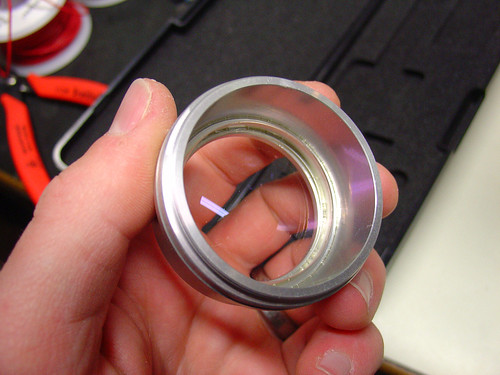
The secondary objective screws into the existing threads on the bottom of the microscope. Here it is installed on my scope:
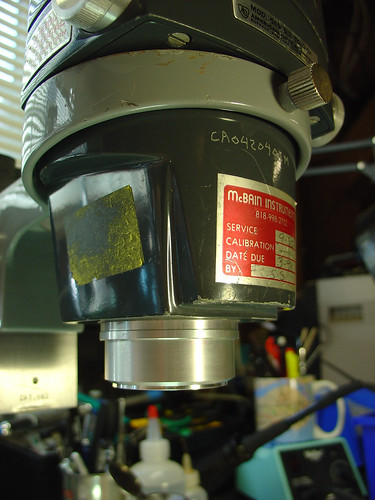
Now with the secondary objective installed, I have a zoom range of 3.5-15X and a working distance of 6-8″. If I need higher magnification, I can always remove the lens. Perfect!
The second upgrade I made was to add a fluorescent ring light to the scope. I picked up the cheapest one I could find on eBay. This model is sold by Amscope, outputs 8W, and is available for under $30:
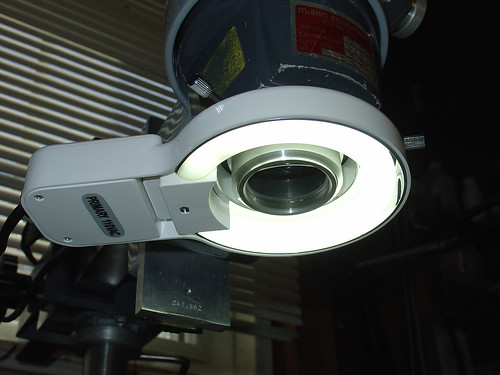
The ring light conveniently attaches to the newly installed secondary objective by tightening three thumbscrews, and provides a decent amount of light that fully illuminates both the object I’m working on as well as the surrounding workbench area, which has been surprisingly helpful. Best of all, the new light stays out of the way and provides more even illumination than the halogen projector that came with the scope.
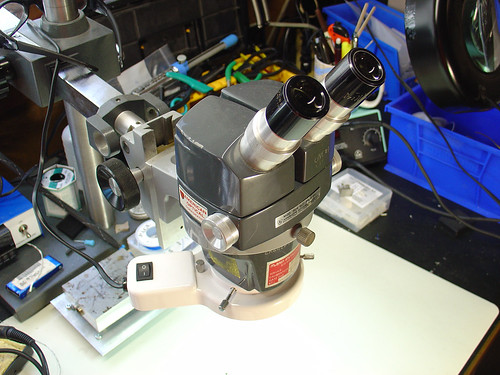
Here’s a photo of the microscope setup as it looks today:
Conclusion:
While the changes I made are significant improvements over my original setup, I have made a few observations that may lead to even more tweaks and upgrades in the future:
- The increase in working distance due to the 0.5x secondary objective is great, but it puts the scope significantly higher above the bench. I didn’t appreciate that this could be an issue until I had to buy a taller lab chair to see through the eyepieces! I’m not sure how to work around this, but it’s good to be aware that more working distance isn’t always a good thing.
- The color temperature of the fluorescent ring light is very poor (cool) compared to the halogen illuminator it replaced. This gives everything a slightly depressing blue cast and is far from a true color representation. Most noticeable are tantalum caps, which go from bright orange in color to a sort of slightly orange-ish dark grey under the scope. Yuck!
- Ring lights can create pretty nasty glare. This might be a side effect of how I have the ring light mounted or the distance to the bench.
- The 8W fluorescent lamp is ok, but more light would be better. Fluorescent ring lights are nice and cheap, but better performance can be achieved with a significantly more expensive fiber optic illuminator. I may look into getting one of these in the future.
Despite these minor issues, I am pretty happy overall with the new setup even after a couple hundred hours of heavy use.