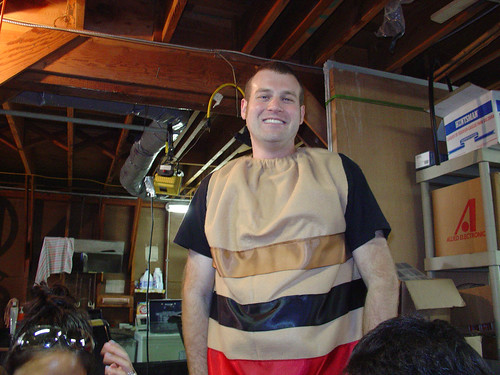
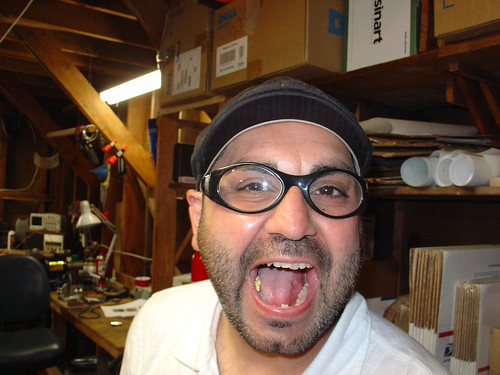
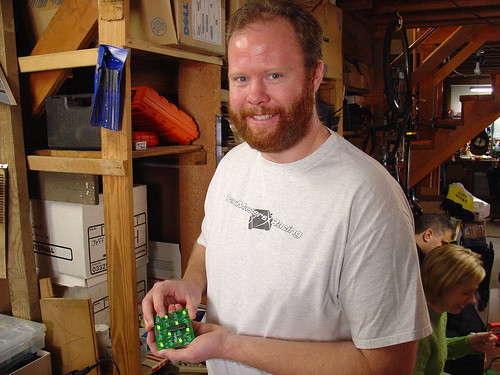
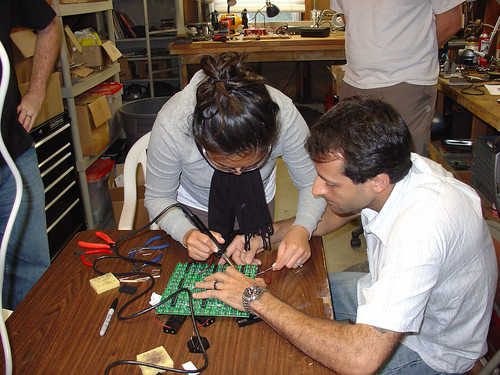
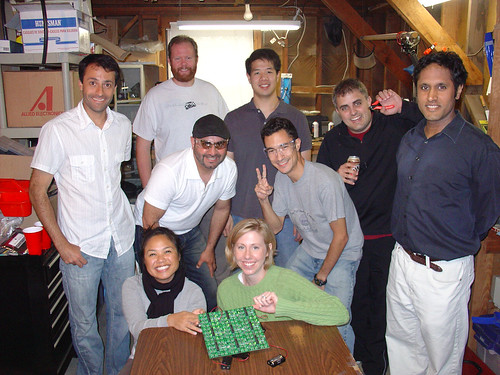
Nine close friends built Conway’s Game of Life kits from Adafruit Industries. This is my favorite kit for these kinds of workshops because it’s easy for beginners to complete in about 2 hours, and when everyone is done, you can wire all of the kits together to create one large cellular automata display. The last time I helped people build this kit was at a Make:SF workshop at the TechShop in Menlo Park.
The capture interval was 5 seconds. I used Quicktime Pro to stitch the images together at 15fps and iMovie to add titles and music (Turbo Outrun by FRP from remix.kwed.org.)
I wore my Halloween costume for most of the afternoon. What am I? Most people on the streets of San Francisco had no idea…
Safety first!
Stuart was the first to finish his kit:
Soldering the kits together to form the matrix:
Nine happy kit-builders with the 3×3 matrix they created with their finished kits:
And lastly, a video of the 3×3 matrix in action:
Three people had little to no soldering experience at the beginning of the afternoon. Everyone who came went home with a working kit. Success!
The single biggest challenge to doing “real” SMT work (0805 or smaller components and fine lead pitch ICs) at home is being able to actually see what you are doing. I know that there are many hobbyists (and maybe even some budget-conscious professionals) who will disagree with me, but I wouldn’t dream of working with surface mount components without using a microscope. I’ve tried many alternatives, including a 10X handheld triplet loupe, a magnifier ring light, even a nausea-inducing magnifying visor, and none of these even come close.
In case I haven’t made myself clear: I would rather solder SMT’s with a 150W soldering gun than with anything other than a decent stereo microscope.
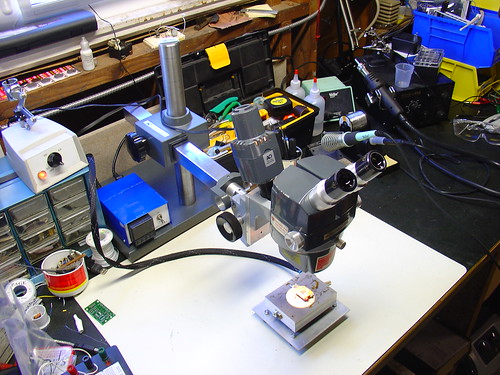
In January of this year, I scored a stereo zoom microscope on eBay. While my scope is far from state of the art (it’s a “vintage” American Optical model 569) the optics are fantastic and it quickly became the most prized piece of equipment in my shop. Here’s a photo of the scope shortly after I added it to my lab, for more photos and information about it, see my original post.
For the first few months, I used the scope pretty much as it arrived. One of the first major tasks I used it for was assembling the first batch of AVR HV Rescue Shields, and for this purpose it worked extremely well. However, as time went on, it became clear that I needed to improve my setup in a couple areas:
The magnification range of 7-30X was great for working on a few tightly grouped 0805 or smaller components, but was too high for general PCB work. A typical BGA package was larger than the field of view.
The included incandescent projector-style illuminator (shown piggybacked on the scope in the photo above) could only be placed in a limited set of positions and did not have adjustable focus – it made a nice, bright spot in the center of the image that didn’t fully illuminate the field at low zoom levels. While it is removable from the scope (this provides a workaround for these issues), the included stand took up too much bench space to be practical.
Upgrading the microscope:
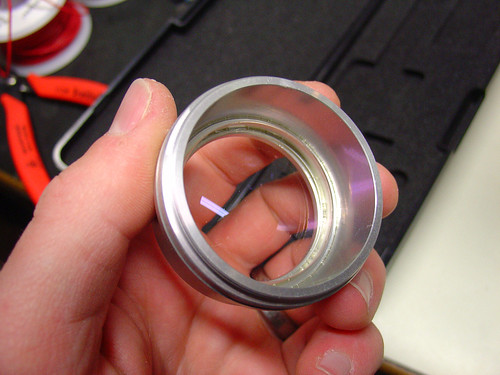
The first upgrade I made was to add a secondary objective aka barlow lens to the scope. A secondary objective serves to increase or decrease the total magnification of a microscope, while simultaneously trading off working distance, the distance between the bottom of the microscope and an object in focus on the bench. In my case, I added a 0.5x secondary objective, which gave me half the magnification while increasing my working distance by approximately 2x. While American Optical stopped making accessories for the StereoStar 569 long ago, Reichert, who acquired AO’s microscope line, still sells parts and accesories, including the #575 0.5X secondary objective, shown below.
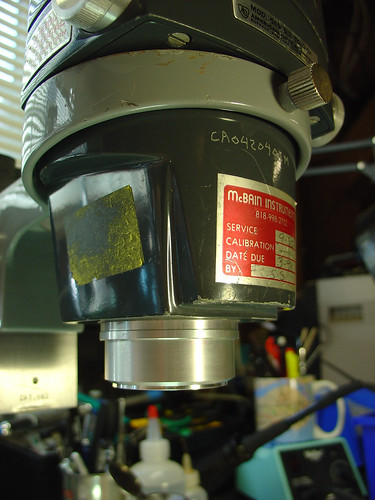
The secondary objective screws into the existing threads on the bottom of the microscope. Here it is installed on my scope:
Now with the secondary objective installed, I have a zoom range of 3.5-15X and a working distance of 6-8″. If I need higher magnification, I can always remove the lens. Perfect!
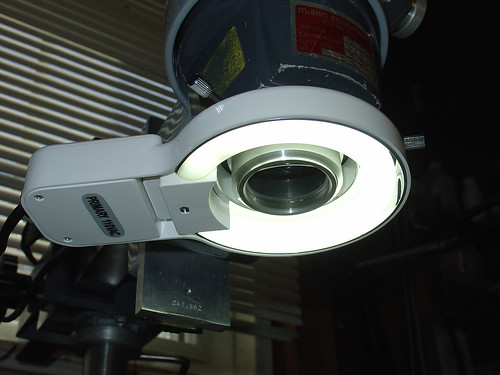
The second upgrade I made was to add a fluorescent ring light to the scope. I picked up the cheapest one I could find on eBay. This model is sold by Amscope, outputs 8W, and is available for under $30:
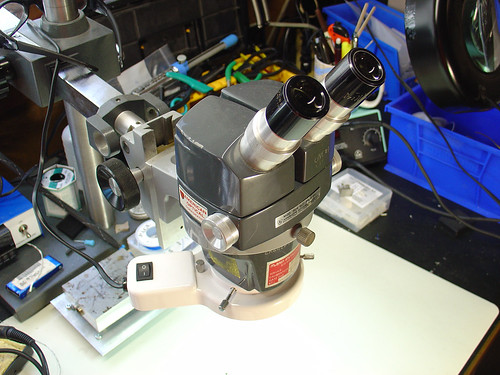
The ring light conveniently attaches to the newly installed secondary objective by tightening three thumbscrews, and provides a decent amount of light that fully illuminates both the object I’m working on as well as the surrounding workbench area, which has been surprisingly helpful. Best of all, the new light stays out of the way and provides more even illumination than the halogen projector that came with the scope.
Here’s a photo of the microscope setup as it looks today:
Conclusion:
While the changes I made are significant improvements over my original setup, I have made a few observations that may lead to even more tweaks and upgrades in the future:
The increase in working distance due to the 0.5x secondary objective is great, but it puts the scope significantly higher above the bench. I didn’t appreciate that this could be an issue until I had to buy a taller lab chair to see through the eyepieces! I’m not sure how to work around this, but it’s good to be aware that more working distance isn’t always a good thing.
The color temperature of the fluorescent ring light is very poor (cool) compared to the halogen illuminator it replaced. This gives everything a slightly depressing blue cast and is far from a true color representation. Most noticeable are tantalum caps, which go from bright orange in color to a sort of slightly orange-ish dark grey under the scope. Yuck!
Ring lights can create pretty nasty glare. This might be a side effect of how I have the ring light mounted or the distance to the bench.
The 8W fluorescent lamp is ok, but more light would be better. Fluorescent ring lights are nice and cheap, but better performance can be achieved with a significantly more expensive fiber optic illuminator. I may look into getting one of these in the future.
Despite these minor issues, I am pretty happy overall with the new setup even after a couple hundred hours of heavy use.
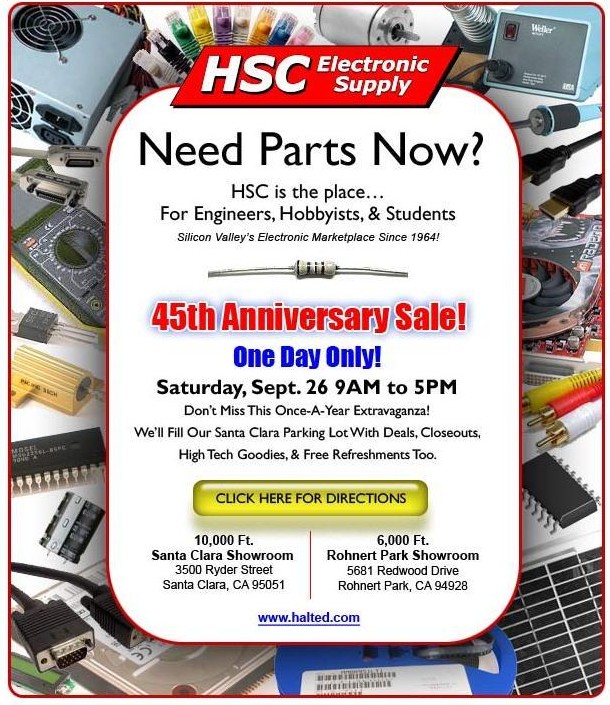
I just got an e-mail from HSC Electronic Supply announcing their 45th Anniversary Sale (aka Sidewalk Sale), which takes place this Saturday, Sept. 26th. If you are in Silicon Valley this weekend, this is definitely worth checking out. If you want to get an idea of what this event is like, check out my photos from last year’s “Warehouse Clearance Sale.” (It seems like they change the name of this event every year now!)
45th Anniversary Celebration
Local Customer? Come on in and celebrate with us and save
10%-60% on everything in our stores. One day only!
Out of the Area? For our online customers, from September
23rd to 27th, HSC will offer *FREE shipping plus an additional 10%
off any order over $50.00. Just mention “Anniversary Special” in
the shopping cart order notes and we’ll take care of your discount.
The 6,000 items listed online are just a sample of our extensive store inventory.
Don’t see what you need? Please don’t hesitate to call us at 1-800-442-5833.
HSC is having some online specials too, although if you shop online you are missing out on 90% of the fun, such as sifting through crates of miscellaneous electronics parts!
Every project I work on usually involves at least one trip down to the South Bay to visit HSC, and I usually find at least a few interesting odds and ends at their annual clearance sales. And while you’re in the area, I highly recommend a side trip to Weird Stuff Warehouse in Sunnyvale as well.
Welcome to Part 3 of the Diamond Chop Saw build. In this installment I’m going to focus on the construction of the mechanical aspects of the saw structure, motor attachment, vacuum chuck, and splash guard. This is a picture-heavy entry…
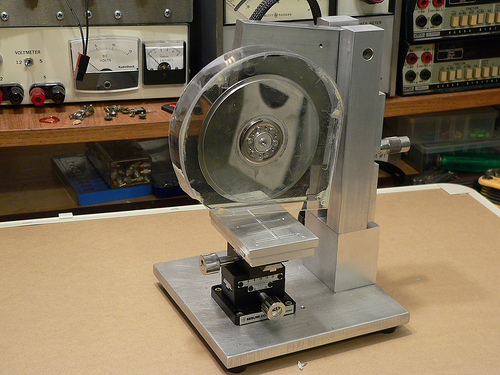
After thinking for a while about how to build the saw, I decided that it would be best to have the blade move only in the vertical axis, and the workpiece move horizontally in two axes. This led to the overall machine design which consists of a vertical column with pivoting cutting head assembly, and a workpiece holder that has two axes of horizontal motion.
Completed Dicing Saw
I wanted to ensure the motor and blade had a rigid, heavy mounting structure to reduce effects of vibration and flex on cutting performance. I decided to mount the motor using the original mounting flange from the hard drive enclosure since it was nicely machined to match the motor flange. I used a hacksaw to cut out the shape roughly to size, then straightened up the edges and machined a mounting recess on my milling machine. The L-shaped piece of aluminum is 1/2 inch thick which gives lots of weight and provides sufficient thickness for mounting the bearing while preventing motion orthogonal to the bearing axis.
Cutting Head Assembly
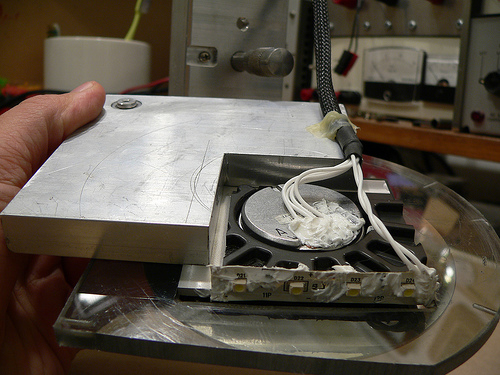
Another view of the cutting head assembly. In the upper left hand corner is the pivot bearing. The bearing is held in place with a set screw that goes through the L-shaped aluminum piece. Along the bottom edge of the black hard drive enclosure portion I attached a strip of white LEDs to help light the work area. RTV Siliconeis used to seal the electrical contacts from water that migt not be caught by the splash shield. At the lower left hand corner of the aluminum plate is a rounded off screw. The cutting depth adjustment micrometer pushes against this rounded off screw. Pushing against the aluminum would be less accurate (aluminum would become unevenly worn).
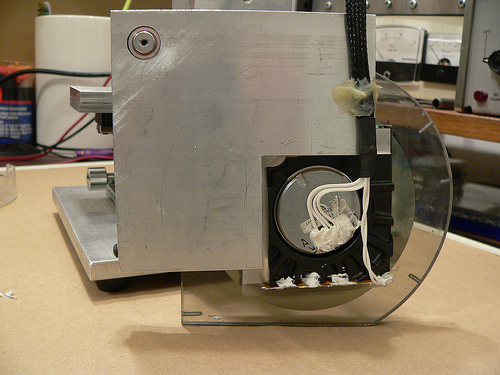
Cutting head assembly (rear view)
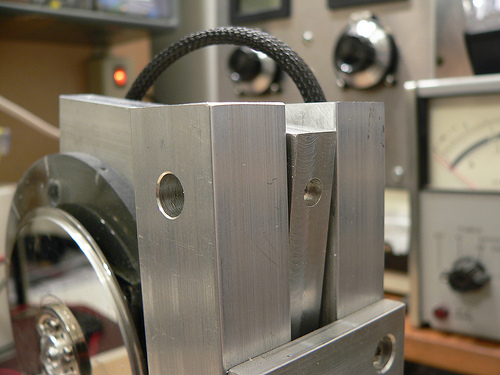
At the top of the column on either side is a hole for the screws that hold the pivot bearing (also from a hard drive) in place. Luckily the one I used has 4-40 threaded holes on either side. A screw on each column holds the bearing in place, and then the rest of the column assembly and adjustment plate are attached resulting in a good alignment of the column to the bearing.
Pivot bearing/column mounting detail
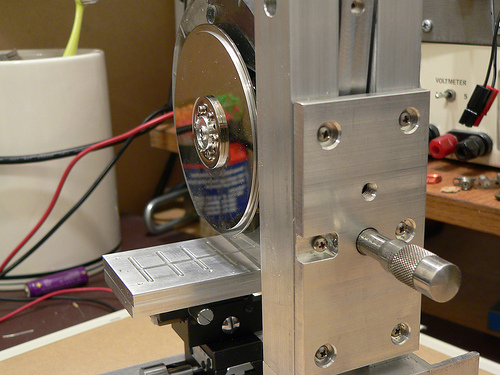
Controlling the depth of the cut is critical, as my cuts will be as small as 5 thousandths of an inch deep! I mounted a micrometer head to a plate on the back of the column which controls the height of the cutting head assembly.
Rear view of the column and depth adjustment control
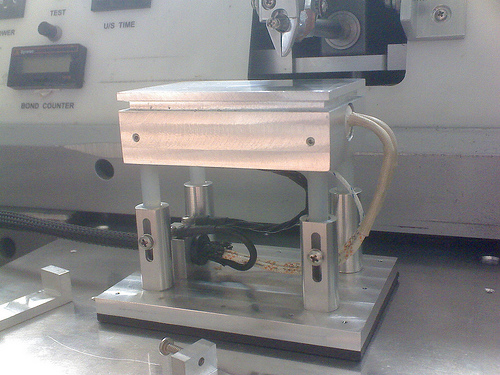
Now for a little detail on the vacuum chuck… The chuck is made from two 1/4 inch plates of aluminum. The top surface has a shallow set of trenches cut to distribute the suction across the bottom surface of the glass plate used for holding parts. The lower plate has a deep trench cut in it to distribute the suction to the three small holes drilled on the top plate. The whole thing is held together with screws and sealed with silicone. I made a set of hose barbs (one is pictured below) so that I can use 1/8 inch vinyl tubing to connect to my vacuum pump. The barbs were made by turning down 10-32 stainless steel screws on my lathe.
Lower half of vacuum chuck with custom-made hose barb
The last major component of the saw is the splash guard. This actually took a fair amount of effort to make, as I broke pieces more than once and had to start over. Essentially it is a two-piece design with a thick piece screwed to the cutting head assembly, and a thinner piece which screws onto the first. I used a heat gun to soften the plastic and carefully mold it to the shape of the face plates. I then glued the curved section and the outer face plate together using epoxy and while not very pretty, it holds together well.
Splash guard on the saw
That pretty much sums up the mechanical aspects of the saw construction. Next week I’ll post the 4th and final installment which will include alignment and attachment of the blade, and actual use of the saw!
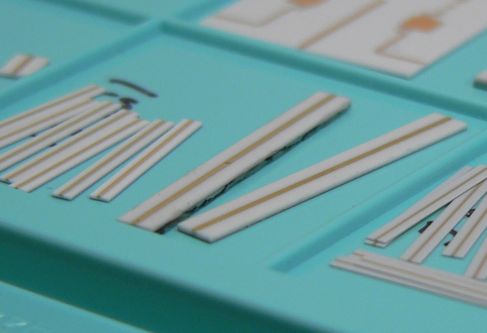
10, 20, and 5 mil thick alumina substrates with 50 ohm transmission lines
In part 1 I gave an overview of what this project is all about. In this part I will describe the basics of the machine and some of the reasons I made the design choices I did. To start with, I wanted to do this on as small a budget as possible. The main project for which this machine serves ends up being a real money pit, so I have to budget accordingly. Hence the use of hard drive parts and scrap metal. Total spent so far is about $60.
When I first thought about how to cut these little pieces of ceramic, it seemed that there were a few elements that would be tricky on a budget. First thing I did was try and figure out how commercial dicing saws work. Certainly Intel and others have figured out a good way to slice ’em and dice ’em a long time ago… And they did.
Tricky thing #1: Holding the substrate while it is being cut.
After a wafer full of chips is finished being made, it is mounted onto a wide stretchy tape, creatively named “dicing tape.” The tape is pulled over a frame and then the wafer placed on top. Next the taped wafer goes into the dicing machine where it is cut by an insanely fast spinning diamond encrusted blade of blingy wafer death.
To keep the wafer from heating up (chips generally don’t like heat) water is sprayed at the cutting surface. This also helps to wash away crud generated by cutting and to prolong blade life. Once the wafer has been diced into individual chips, the tape is exposed to UV light or heat. The adhesive on the tape is made to become less sticky when exposed, and at this point the chips can be easily removed with tweezers, or an automated pick-and-place machine.
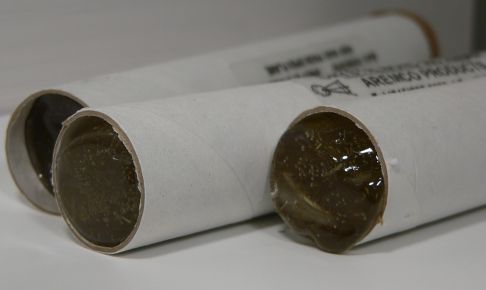
My first thought was to try and get some of this tape and use it in the same manner, but for smaller pieces. Then someone at work told me about something far more cool, with a far better name, something called Crystalbond! Crystalbond is essentially a mounting adhesive designed for exactly what I want to do. You simply heat it up, it becomes liquid, place the part in the puddle, and then do nothing until it cools off and then solidly holds your part. I managed to find 5 lifetime’s supply on eBay for dirt cheap, but several other places sell it. Anyway after the parts are cut you wash it away with acetone and you are left with clean diced parts.
Tubes of Crystalbond mounting adhesive
Okay, so the part can be held, but I didn’t want to have to glue a part to my machine every time I wanted to cut something. So instead of gluing the part to the machine I decided to glue the part to small pieces of glass which are a convenient carrier and can be used with my hotplatethat I built for my wire bonder.
Hotplate for thermosonic wedge bonding
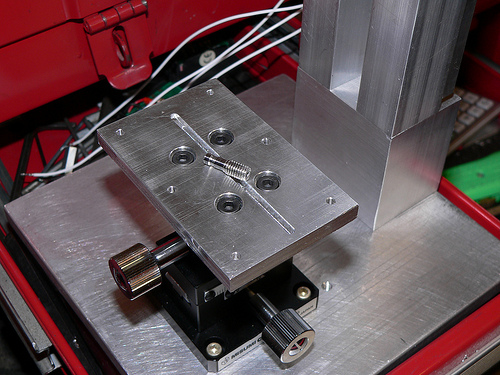
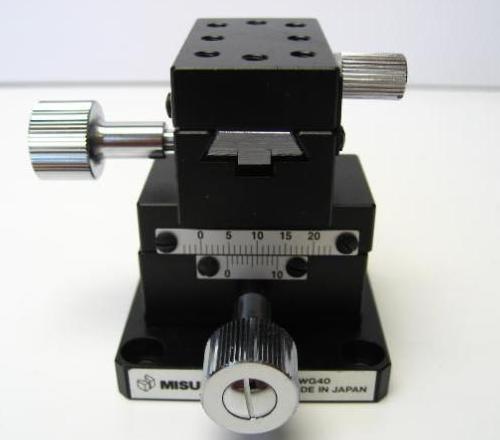
So now I’ve got a piece of easy to handle glass, with one or more substrates to dice which has to be mounted to the machine. I could use tape, a temporary adhesive, or clamps, but why? I just put together a digitally controlled vacuum pump for some composites work, so why not make a vacuum chuck? And even better, I mounted it to a precision X-Y dovetail slide that I purchased on eBay for cheap. Now I can easily position the glass, reposition if necessary, and make measured cuts my moving the X-Y stage and measuring at the same time with a runout gauge. This allows me to make cuts that are accurate to 0.001 inches.
X-Y positioner I bought off eBay
A note here regarding XY stages… I chose specifically a dovetail style positioner because unlike the more common linear bearing style slides, a dovetail slide has static loading. The benefit is that there is a much greater resistance to vibration and since I am grinding, I want as solid a mount as possible.
This is really a compound Tricky Thing, a combination of finding the blade, holding it, and spinning it. First a little background on dicing saws and blades…
Wafer dicing used to be done (and still is, especially in research situations) with a diamond scribe, basically a pencil with a diamond at the end. A small scratch is made along the crystal plane of the wafer and then carefully bent until a long, very straight crack is made through the wafer.
The same can be done with alumina substrates, although since it is not a mono-crystalline structure, the crack won’t be as straight or as predictable. Scribe dicing is a relatively labor intensive task and chip manufacturers HATE labor, but even more than that they REALLY HATE any time that an actual person touches a wafer.
Wafer dicing today is usually done with a very thin diamond abrasive blade that grinds away the metal or semiconductor until a cut is made. It is nearly identical to the way you might cut tiles when doing a counter top in your kitchen but on a much smaller scale. When cutting tile, if the blade wobbles a bit or is not centered perfectly, you are not likely to notice. With the alumina substrates I’m working with, the pieces are 20-40 times thinner. This implies that any vibration, wobble, or eccentricity errors can cause problems.
Commercial wafer dicing machines use high speed motors that are carefully balanced and rather than using ball bearings, employ costly air bearings. These are essentially out of reach for hobbyists and really not necessary. What is necessary though is a way to hold and spin the blade accurately. Dicing blades are thin, and the thickest ones I could find on eBay were 300 um wide. At 4.6 inches in diameter, a a very large inner diameter, they are also hard to accurately mount on a typical spindle like that found on a Dremel tool.
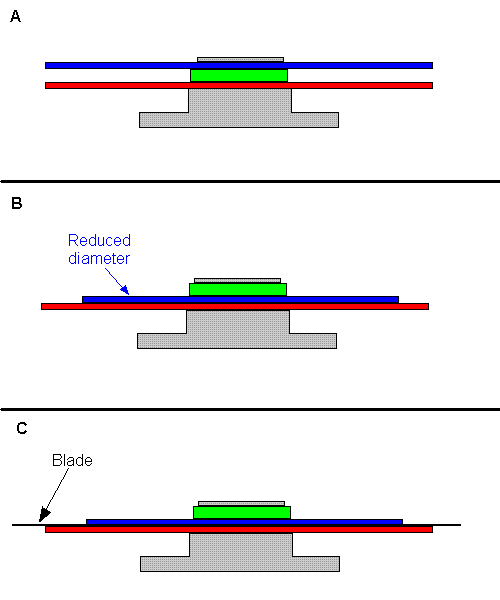
Diagram depicting blade mounting: Part A shows the original platter and spacer configuration, Part B shows the modifications I made, Part C shows the blade mounted.
All of these issues led me to use a hard drive motor and platters to spin and hold the blade. Hard drives have very long service lives and need bearings of the highest precision. The mounting of the platters is also done in a precise way, as any imbalance would shorten the bearing lifetime and result in undesirable operation.
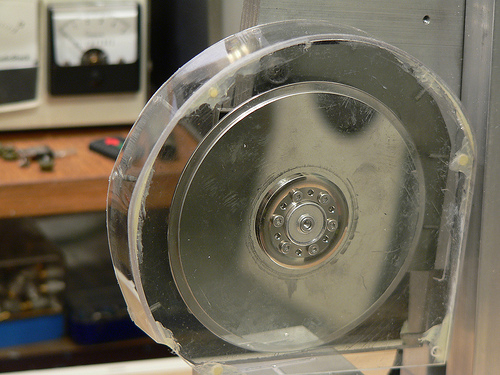
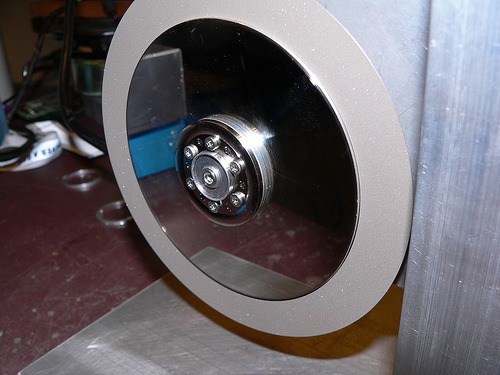
To make a long story short, I removed (and reused) the spacer ring between the two platters of a hard drive, and reduced the radius of one platter to 3.5″, the inner diameter of the blade. You can see in the picture that the two platters are stacked and there’s a nice surface for gluing the blade down. Machining the platter down was not easy with my tiny lathe, and it ended up being out of round by perhaps 10 mils. It works to roughly locate the blade, but I will need to tack the blade down, measure, adjust, and finally glue into place. 10 mils out of round is really bad because the thickest substrate I’m working with is 10 mils thick. That means that one part of the blade would never actually do any cutting!
Blade test fitted to the saw.
Tricky Thing #3: Driving the motor
This seemed to be slightly daunting at first. Hard disk motors are typically some kind of brushless motor and require special circuitry to run. I imagined that I would have to build a circuit, or use a motor speed control from a radio controlled plane, etc. It turns out though that the main circuit board in the hard drive I’m using is dumb enough that even though it has had the equivalent of a frontal lobotomy, it just keeps doing it’s job. A couple other hard drives I tore apart did not do this.
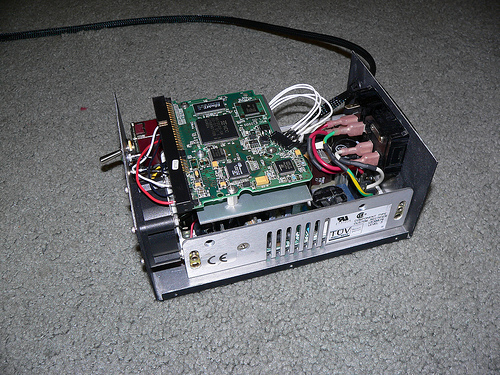
Motor Control Box
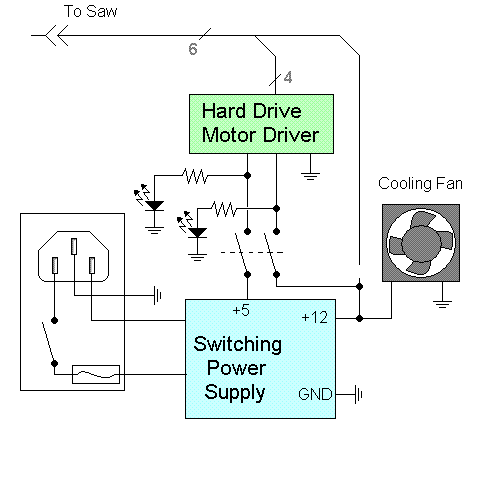
The box in the picture above shows the hard drive main circuit board and below that, a 12v/5v switching power supply. It’s pretty basic and at the flip of the switch on the front panel, the DC supply is connected to the motor driver and voila, the motor spins up.
Schematic Diagram for the Motor Control Box
Well, that’s about it for this part. In the next part I will discuss the mechanical structure of the saw, fabrication of a few parts, and in the final installment, the use of this machine.